
AI LinkedIn outreach often starts with the wrong question: “How can I send more messages?” Volume is easy to automate. Relevance is harder because every prospect has a different fit, relationship state, history, and reason to respond.
I treat LinkedIn as one channel inside a decision loop. I start with your offer and target, assess a real prospect, choose an action that fits the relationship, write from useful context, and recalculate what should happen next. The goal is not to produce an endless sequence. It is to create more credible opportunities for a conversation.
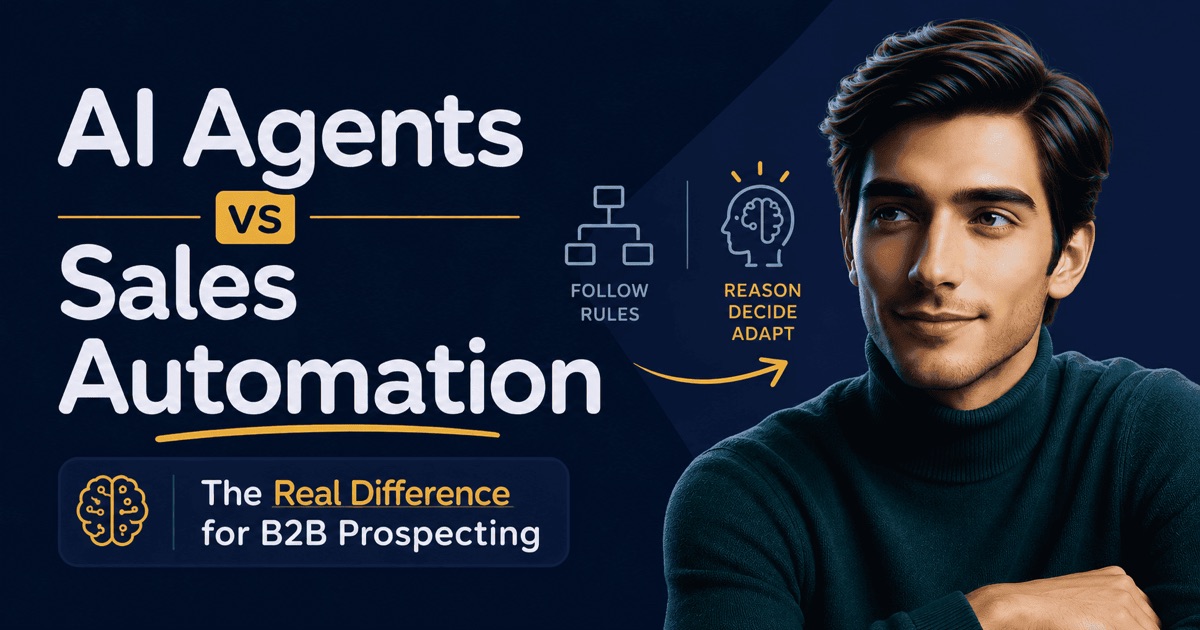
Three approaches are often grouped under the same label:
- AI writing assistance drafts a message from the inputs you provide.
- Fixed automation sends predefined actions according to a schedule.
- An AI agent uses context and history to decide which available action makes sense now.
The third approach is the one I recommend. Writing is only one part of the work. A polished message sent to the wrong person, through the wrong action, at the wrong time is still poor outreach.
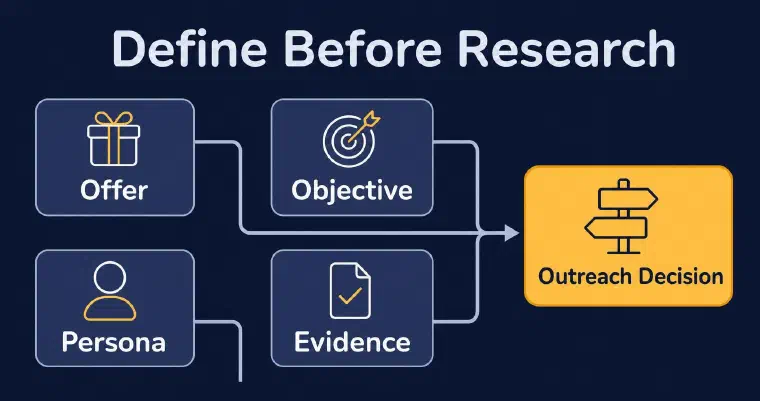
Step 1: Define the decision before researching profiles
Do not open LinkedIn and start browsing until you can state four inputs clearly:
- the offer you want to sell;
- the persona that should need it;
- the commercial objective of the outreach;
- the evidence or resource you may use when it strengthens the conversation.
The commercial objective matters more than most prompts acknowledge. “Book a meeting” creates a different message from “start a conversation” or “invite the prospect to try a product.” If the objective changes from one message to the next, the outreach becomes inconsistent even when every sentence sounds personal.
Your persona should be specific enough to guide decisions. A job title alone is not a persona. Add company type, geography, responsibilities, likely problems, and exclusions. Then decide what good fit looks like. I use the offer and persona together when I assess a prospect because someone can match the title while having no credible reason to care about the offer.
You also need channel preferences. Set the authorised language, tone, formality, message length, and any extra instruction that should remain stable. These choices form the operating rules for first contacts and follow-ups. They prevent a model from improvising a new voice every time it sees a different profile.
Before moving on, test the setup with a simple sentence:
I am contacting [persona] because [business problem] makes [offer] relevant, and I want to [commercial objective].
If that sentence is vague, more profile data will not fix it. Refine the offer and persona first. This is especially important for founders who tend to describe their expertise broadly and for sales development representatives (SDRs) working from a long account list with uneven fit.
Step 2: Qualify the prospect before generating a message
AI-powered LinkedIn outreach should reduce wasted research, not remove judgment. The useful question is not “Can I personalize this profile?” It is “Does this prospect match the offer well enough to justify contact?”
I assess fit using the prospect and the company together. The prospect side can include role, responsibilities, expertise, stated interests, and relevant professional signals. The company side can include industry, size, activities, customer type, and current business context when that information is available. Availability varies, so the workflow must work with missing fields rather than invent them.
A practical qualification pass has four checks:
Check persona fit
Confirm that the role, company, and geography match the target. A broad title such as “Director” is not enough. Look for responsibilities that connect to the problem your offer solves.
Check offer fit
State the specific reason the offer could help. If the reason could be pasted onto any profile in the search results, it is not strong enough. The conclusion may still be “do not contact.”
Check evidence quality
Separate facts you can observe from assumptions. A role change, a company description, or a documented business activity can inform the message. A claim about the person’s private priorities cannot. Never turn a weak inference into a confident opening line.
Check contactability
Confirm the known LinkedIn relationship status and prior interactions. A prospect who is not connected, a prospect with a pending invitation, and an existing connection do not have the same available actions. If the relationship state is unknown, resolve that uncertainty before choosing the message format.
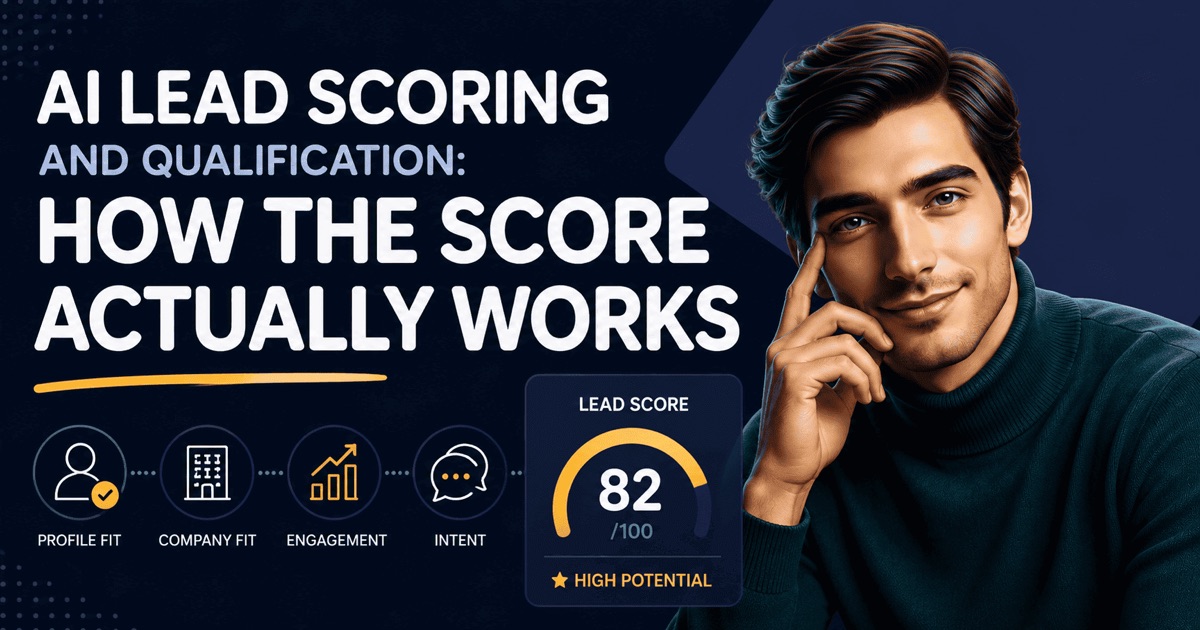
I score prospects against both the persona and the offer, then explain the reasoning. That explanation is useful even when the score is low because it shows why a profile should be rejected rather than quietly adding it to a campaign.
If you want to see this qualification loop for your own offer and target, book a personalized demo to explore example prospects and the reasoning behind their selection.
Step 3: Choose an action that fits the relationship
The next action should come from the prospect’s current state, not from their position in a sequence.
For LinkedIn, the basic choice is between an invitation without a note and a personalized message. I propose an invitation only when the prospect is not already connected and no invitation is pending or known to be impossible. I propose a message only when the relationship allows it. Redundant or unavailable actions should be hidden, not forced through another route.
This sounds simple, but it changes the entire workflow. A fixed sequence assumes that every prospect moves through the same stages on the same schedule. A context-led process asks again before each action:
- Is the prospect still eligible?
- What happened since the last action?
- Is LinkedIn still the best available channel?
- Has the relationship state changed?
- Would a follow-up add a new reason to respond?
The answer can be to wait, use another authorised channel, or stop. An agent is useful precisely because “send the next template” is not always the right decision.
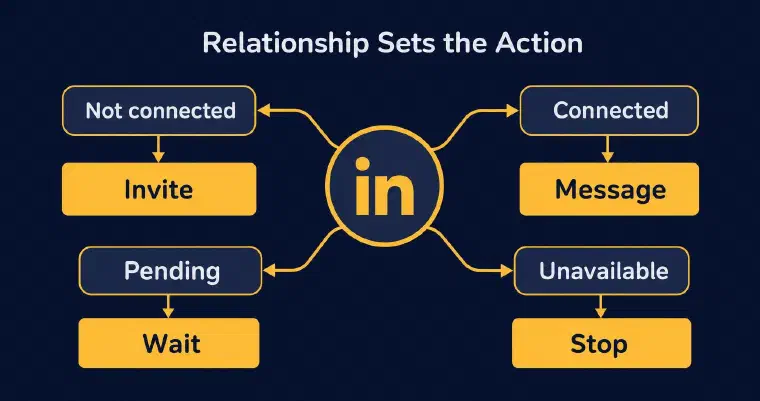
Keep the LinkedIn action distinct from the copy. First decide whether an invitation or message is possible and sensible. I send invitations without a note; text generation applies to messages. An unavailable LinkedIn action does not by itself stop outreach on another authorized channel. This order prevents a well-written draft from creating pressure to send an action that does not fit the relationship.
Step 4: Write from relevant context, not profile trivia
AI LinkedIn message personalization works when the context changes the substance of the message. It fails when the model finds a decorative detail and attaches it to a generic pitch.
I generate a message from five layers of context:
- Your offer: what you sell, what problem it solves, and why it is different.
- Your persona strategy: the objective, language, length, tone, and additional instructions.
- The prospect: their role, responsibilities, expertise, and relevant professional information.
- The company: its activity, size, industry, and useful business context when available.
- The history: the relationship status, actions already performed, messages, and replies.
Every detail does not belong in the final message. Context is an input for judgment, not a checklist to display. Choose the smallest set of facts needed to explain why you are contacting this person.
A useful first message usually does three jobs:
- establishes a credible reason for contact;
- connects that reason to a problem or objective the offer can address;
- proposes one easy next step.
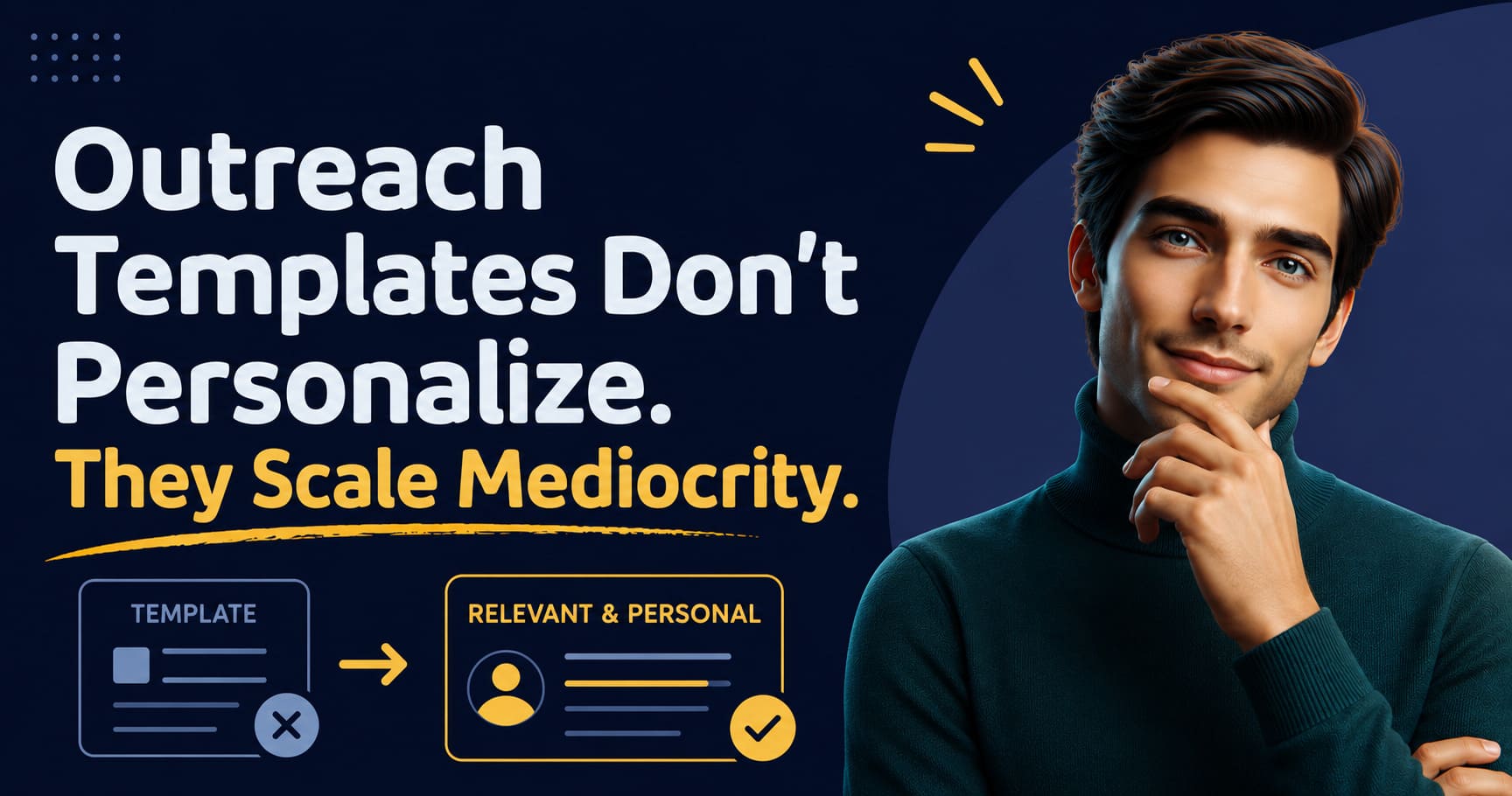
Short does not mean vague. Compare these two patterns:
I saw your profile and thought our solution could help. Are you free for a call?
You lead partnerships for a firm expanding its enterprise offer. I help teams identify and contact accounts that fit a defined offer. Is building that pipeline part of your focus this quarter?
The second pattern uses professional context to make the question intelligible. It does not pretend to know a private pain or insert a compliment that has nothing to do with the offer.
ChatGPT can help draft this kind of message if you supply the inputs deliberately. A prompt should include the offer, persona, objective, prospect context, company context, relationship state, and desired next step. It should also tell the model not to invent facts. The limitation is operational: a standalone draft does not qualify the prospect, confirm action eligibility, retain a reliable history, send the message, or decide the next step by itself.
Review the output using three tests:
- Relevance: Could this reason for contact apply to most people in the list?
- Truth: Can every specific statement be traced to supplied context?
- Friction: Is the next step easy to understand and answer?
If any test fails, fix the input or the decision. Rewriting the same weak premise with a warmer tone will not make it relevant.
Step 5: Validate the workflow before increasing autonomy
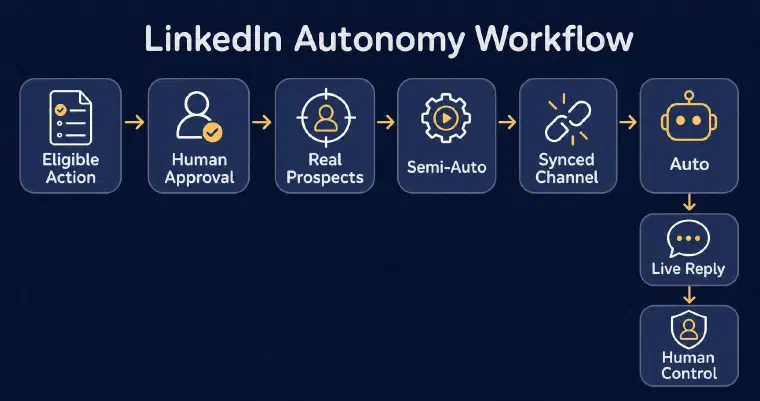
Human approval should be the default while you prove the targeting and message logic. I prepare an eligible LinkedIn invitation or personalized message, then wait for your validation before sending when LinkedIn is synchronized. You can edit or regenerate the text. Without synchronization, I can generate the message for manual sending, and you can confirm the action so the prospect history remains useful.
This review stage is not busywork. It gives you a controlled way to find weak assumptions:
- Are low-fit prospects reaching the message stage?
- Does the proposed action match the relationship?
- Is the reason for contact supported by the profile and company context?
- Does the message follow the persona’s objective and tone?
- Would you be comfortable receiving it yourself?
Review several real prospects, not one ideal example. Include clear fits, borderline cases, missing data, existing connections, and prospects with prior activity. The workflow is ready for more autonomy only when it handles those differences consistently.
I offer two automation levels. In Semi-Auto, I discover, analyze, score, and enrich qualified prospects, but you manage contact and follow-up with me. In Auto, I can also choose and execute eligible LinkedIn or email actions, then follow up within the configuration you approved. Auto requires available credits and at least one synchronized, enabled channel. You can activate Auto directly after reviewing its configuration; Semi-Auto is not a mandatory intermediate step.
Automation should preserve the same decision logic. It should not convert a reviewed method into a fixed blast. I work prospect by prospect from the current state and history. When a reply arrives, I record and classify it, stop automated outreach for that prospect, and return control to you. Automated email replies are the exception: I record and classify them, but prospecting continues. That is the boundary that matters: I handle repeatable prospecting work, while you take over the live sales conversation.
Step 6: Improve conversations, not activity alone
Measure the workflow by what it teaches you about fit and conversations. Sent volume is an operating count, not proof that outreach works.
For LinkedIn, useful indicators include invitations sent, new connections, acceptance rate, replies, and reply rate. My analytics interpret recent results and suggest priorities; you can use that review to update the relevant strategy or configuration. A healthy acceptance rate with weak replies may mean the target accepts connections but the message lacks a credible reason to continue. Replies from poor-fit prospects may expose a qualification problem. A small number of strong conversations can be more useful than a large number of silent sends.
Review performance at three levels:
Target quality
Look at which personas, roles, and company profiles become real conversations. Tighten criteria when low-fit prospects repeatedly reach the contact stage.
Message quality
Compare the reasons for contact, questions, and resources used. Keep the persona strategy stable long enough to learn, but do not preserve an angle that repeatedly produces confusion.
Decision quality
Inspect whether invitations, messages, waits, and follow-ups matched the relationship and history. A reply can validate more than the copy. It can validate the timing and action choice too.
Use each result to update future decisions. Do not simply ask the model for another variation. Change the relevant input: the persona, fit threshold, commercial objective, message instruction, or follow-up logic.
To explore that loop before choosing how much to delegate, book a personalized demo on your business and see how context shapes the prospecting actions.
Common mistakes to avoid
Optimizing for volume before fit
More profiles create more research and more messages, but they do not create a better reason to talk. Define the persona and reject weak fits early. Ten relevant decisions teach you more than a large batch built on a vague target.
Using a fake personal detail
Do not imply that you know a prospect’s priorities because of one post, role, or company event. Use observable professional context and make the inference modest. If a detail does not change the reason for contact, leave it out.
Repeating a fixed follow-up sequence
A follow-up should respond to the prospect’s actual state and history. Recalculate the next action after the configured delay. Change the angle only when you have a new, relevant reason. Stop when no authorised action remains or when the outreach limit is reached.
For the multichannel rules behind that recalculation, see how an AI sales follow-up loop chooses the next-best action across LinkedIn, email, waiting, and stopping.
Activating Auto before reviewing the strategy
Automation scales both good and bad decisions. Validate the persona, qualification, action choice, and message on varied prospects first. Configure channels, sending periods, follow-up delays, and message limits before activation. Then monitor outcomes and pause when the evidence says the strategy needs work.
Treating the first human reply as another automation event
A prospect’s reply changes the job. The objective is now to understand and advance a conversation. I stop automated outreach and hand control back to you instead of pushing the prospect into the next scheduled touch. Automated email replies are recorded and classified without ending the prospecting cycle.
AI LinkedIn outreach works when research, writing, execution, and follow-up share the same context. The message is important, but it is not the system. Build the decision loop first, keep approval until the logic holds up across real prospects, and automate only the actions you can explain. That is how LinkedIn becomes a credible prospecting channel instead of a faster source of generic messages.