
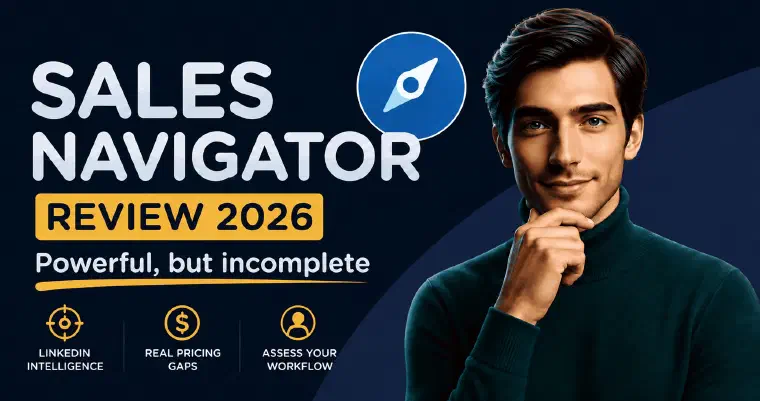
 This sales navigator review covers what the tool delivers, where it falls short, and how I would assess its place in your workflow. Sales Navigator is a serious tool. But “serious” and “right for you” are different questions, especially when LinkedIn research and contact are only part of your prospecting process.
What Sales Navigator Does : And Who It’s Built For
I consider Sales Navigator a strong choice for LinkedIn-led discovery. Its access to LinkedIn’s professional profiles and its detailed search filters are the reasons I would shortlist it. That does not make it universally best at qualification or prove that every other source is less accurate.
The distinction that matters immediately: Sales Navigator combines discovery and intelligence with LinkedIn outreach, including InMail and Message Assist (LinkedIn, compare plans). It is not a complete email prospecting workflow. Whether you need anything beyond it depends on your channels and how you manage follow-up and deals.
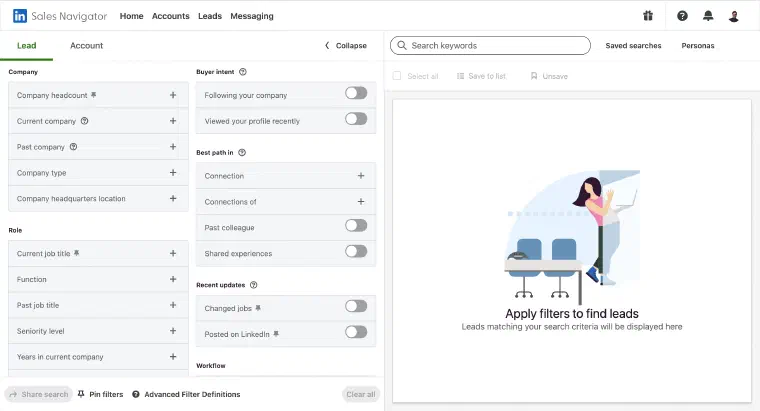
Sales Navigator is a separate LinkedIn application, accessible at linkedin.com/sales, that gives sales teams access to the full database through an advanced search interface. The real-world workflow: run an advanced search using 50+ filters (job title, seniority, company size, geography, growth rate, technologies used), save relevant prospects to lead lists, receive alerts when they change jobs or post on LinkedIn, research them via AI-generated summaries, and then reach out via InMail or via your existing connections.
That’s where Sales Navigator’s job ends.
What it doesn’t do:
- Provide email addresses or phone numbers
- Automate or sequence messages
- Track pipeline stages or manage deals
- Provide an integrated path from email discovery to automated email outreach
I see Sales Navigator as the right fit for SDRs, BDRs, and AEs at B2B companies with a defined ICP, an existing CRM, and a budget for a multi-tool outbound stack, ideally with a RevOps function already managing tool integrations. It’s a powerful addition to that infrastructure, but an addition, not a replacement.
What’s Good About Sales Navigator
Search depth is a strength
The search depth is the part I value most. The 50+ filter system, including years in current role, company growth rate, recent LinkedIn activity, and Boolean operators, lets you narrow a target list. Matching filters is still a starting point for qualification, not proof that a person needs your offer.
The profiles are self-reported, so I would still check current roles and company information. Job-change alerts are useful for teams that use those changes as a prospecting trigger, without assuming every profile update is immediate or every other source has the same delay.
Account IQ and Lead IQ save research time : within limits
These are the AI features that received the most attention since their launch. Account IQ generates a structured summary of a target company: strategic priorities, recent news, growth signals, product fit mapping. Lead IQ does the same for individual prospects: career history, LinkedIn activity, interests, commonalities with the seller.
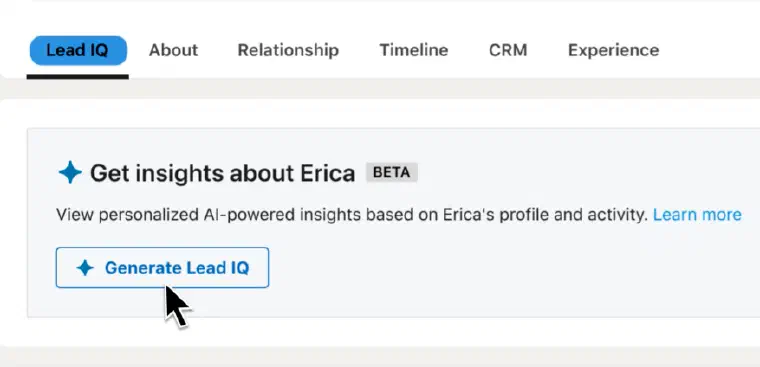
For meeting prep or personalized InMails, I see the value in bringing that research together. The time saved depends on the prospect and the research you would otherwise do; it is not a fixed delay or outcome I can promise here.
These summaries are research aids. They synthesize information for the rep to review and use, including alongside Message Assist. I would distinguish those research and drafting functions from automatic email discovery, sending and follow-up rather than saying Sales Navigator provides no outreach.
InMail : real advantage, with caveats
InMail lets you contact a prospect on LinkedIn without a prior connection or an email address. That makes it a meaningful channel to test for selective outreach. I would assess relevance and replies in your own activity rather than assume a universal performance advantage. Individual experiences on G2 can suggest questions to investigate, but they are not a controlled comparison of channels.
The 50-credit monthly allocation also means deciding where to use InMail, rather than treating it as unlimited outreach.
Buyer intent signals come from LinkedIn activity
Sales Navigator surfaces account-level intent based on activity within LinkedIn’s ecosystem. I would use that activity as context for prioritisation, not as proof that a company has a budget, a need or an immediate buying decision. A first-party source does not by itself establish greater reliability than every other provider.
For account-based selling, this is a real prioritization tool. If ten people at a target account start engaging with your company page in a given week, that’s a genuine signal worth acting on.
What’s Not Great About Sales Navigator
The AI features are more limited than LinkedIn’s marketing suggests
LinkedIn markets Sales Navigator under an “agentic AI” positioning, the suggestion being that AI is doing meaningful autonomous work. In practice, the picture is more nuanced, and it’s worth being specific.
Account IQ and Lead IQ are research summaries. They help organise context for the rep, rather than constituting a complete automated email prospecting workflow.
Message Assist drafts an InMail using prospect and account context. The seller reviews the draft before sending. It is a real writing function, even though it does not replace the rest of an email prospecting workflow.
Sales Assistant is LinkedIn’s most aggressively marketed AI feature, pitched as an autonomous agent that identifies leads, recommends outreach paths, and drafts messages. As of May 2026, it is still in limited beta, available only to a select group of customers by approval, and in English only. LinkedIn’s own documentation confirms it “requires human approval before sending.” For a feature marketed as agentic AI, that’s a meaningful qualification. It is not yet a broadly available tool.
My distinction is between research and drafting assistance inside LinkedIn, and the wider workflow you need for your chosen channels. I would evaluate the available features on your plan rather than infer a universal user consensus about them.
Email prospecting needs an additional workflow
Sales Navigator already lets you contact people on LinkedIn. If you also want to discover email addresses, automate email follow-up and manage deals, consider which of these functions your existing setup covers:
- An enrichment tool (Apollo, Clay, Lusha, Cognism) to search for contact details
- A sequencer (Outreach, Salesloft, Lemlist, Instantly) for automated email outreach
- A CRM (Salesforce, HubSpot) for deal management
Those functions may overlap within tools you already use. I would price your actual requirements, users and integrations, not assume everyone needs three extra subscriptions or the same total budget.
50 InMail credits per month does not scale
The allocation can constrain a strategy built mainly on InMail. How quickly you reach it depends on your usage; not every outreach touch consumes an InMail credit. Plan your mix of InMail, messages to connections and email without assuming third-party LinkedIn automation is required or exempt from the platform’s restrictions.
The 2,500 result cap per search query creates real friction
Large TAM queries regularly return more than 2,500 matches. To access the full audience, you have to manually segment queries, by geography, by company size range, by other filters, and stitch the results together afterward. In practice, that means building four or five separate searches where one should have been enough, then deduplicating the resulting lists before they go into an enrichment tool. It’s tedious and error-prone, and it’s a problem that catches new users off guard every time.
Data quality on industry and company size is inconsistent
Job titles and company names are reliable. Industry and company size classifications are notoriously inaccurate. LinkedIn’s industry taxonomy is broad, self-reported, and frequently wrong, a recruiter at a 500-person IT company may have classified their company as “Staffing & Recruiting” or “Information Technology” depending on who filled in the profile. Building an industry-filtered search and trusting the results without manual review is a mistake I’ve seen made more than once.
Saved lists are not a complete deal-management workflow
Sales Navigator is not a full CRM. Saved lists and LinkedIn conversations are useful, but they are not the same as managing deals and all your prospecting channels together. I would check which activity your team needs to record, what the selected CRM integration covers, and what still needs manual handling.
Pricing : Is It Worth It?
As of May 2026, Sales Navigator is priced as follows (see official pricing):
| Plan | Monthly | Annual (per seat/month) | What’s added |
|---|---|---|---|
| Core | $119.99 | $89.99 | Advanced search, lead/account lists, Lead IQ, Account IQ, Smart Links, 50 InMail/month |
| Advanced | $159.99 | $149.99 | + Buyer Intent, TeamLink, Relationship Map, CRM sync (one-way), team reporting |
| Advanced Plus | Custom | Custom | + Bidirectional CRM sync, Salesforce/Dynamics embedded, 10-seat minimum |
These are the historical May 2026 figures used in this review. Check the current quote and billing terms when preparing your budget.
I would measure return against your own costs and outcomes, not apply an enterprise ROI figure to a solo founder or assume a particular number of seats makes the purchase worthwhile.
The underutilized licenses problem. Before buying seats, I would define how each person will use the tool and how you will review that usage. A subscription can be a poor investment when it goes unused, but there is no universal activity threshold that proves its return.
For smaller setups, include the subscription, any additional tools and the time spent operating them. Compare that with the value actually generated, rather than treating revenue from one hypothetical deal as profit attributable to the tool.
My answer on worth: Sales Navigator can be a good fit when LinkedIn-first intelligence, alerts and InMail address your needs. If you also need email discovery and automated email outreach, account for that additional workflow. It is not required merely to send your first LinkedIn message.
Who Should Use Sales Navigator
Sales Navigator is the right choice for:
- SDR and BDR teams at B2B SaaS companies with a structured outbound motion, an existing CRM, and budget for enrichment and sequencing on top
- Enterprise AEs running account-based selling who need deep account intelligence, TeamLink for warm intro paths, and buying committee mapping across large organizations
- Sales managers and RevOps teams who need team-level visibility into network coverage and deal progression across multiple reps
- Microsoft/Dynamics shops where Advanced Plus’s Embedded Experiences and the MRS bundle justify the investment through CRM workflow reduction
Sales Navigator is the wrong choice for:
- Founders and solopreneurs who need one connected workflow including email discovery and outreach, rather than primarily LinkedIn research and contact
- Teams that primarily prospect by email and do not need the additional LinkedIn intelligence
- Early-stage companies still defining their ICP. Sales Navigator is a precision targeting tool, not a strategy assistant; it assumes you already know exactly who you want to reach
- Budget-constrained buyers whose required email and deal-management workflow is not covered by the subscription
There is no universal team-size threshold. I would make the decision from your channels, existing tools, adoption and results, not from whether you have twenty seats.
The Alternatives : Including LEO
| Dimension | LinkedIn Sales Navigator | LEO | Apollo | Clay |
|---|---|---|---|---|
| Product type | Intelligence and discovery platform | Conversational prospecting agent | All-in-one sales platform | Data enrichment layer |
| Workflow coverage | Discovery, prioritization and LinkedIn contact | Discovery → available enrichment → outreach → tracking, according to mode | Discovery + enrichment + sequencing | Data workflows and native email sequencing |
| Contact data (email/phone) | Not an email/phone enrichment service | Separate searches, subject to availability and credits | Contact-data discovery | Enrichment through data providers |
| Message writing | Message Assist | Personalized per prospect, all plans | Contextual AI email writing | AI snippets for email sequences |
| Message sending | InMail and messages to connections | LinkedIn + email with required synchronisation and eligibility | Email sequences + dialer | Native email sequencer |
| Pipeline tracking | Saved lists and conversations; CRM needs depend on workflow | Prospect table, stages, history and analytics | Platform activity and CRM workflow | Data workflows; assess CRM needs separately |
| Setup to assess | Channels and workflow beyond LinkedIn | Offer/persona review, preferences and channel connections | Data, sequence and sending setup | Data workflow and sending setup |
| Price (starting) | $89.99/seat/mo (annual, historical May 2026) | Pro €199/month on monthly billing, User seat per workspace | Check plan and usage | Check plan and usage |
| Best for | Enterprise teams with full stack | Founders, SDRs, any size | US SDR teams needing all-in-one | RevOps teams, GTM engineers |
The right alternative depends on which gap you’re trying to fill. With LEO, I connect discovery, enrichment, message preparation and execution in conversation; here’s a detailed comparison of how LEO and Sales Navigator differ in practice. Apollo combines data and sales workflows, including contextual AI email writing. Clay supports data workflows and a native email sequencer with AI snippets; it is not limited to enrichment without sending. For a separate look at sequencing and warm-up features, see my lemlist review. None of those options implies a universal setup delay or guaranteed deliverability.
Sales Navigator is a strong LinkedIn research and contact tool. That does not automatically make it the complete prospecting workflow for your business, or an unnecessary expense. I would choose it for the intelligence and LinkedIn activity you need, and evaluate email and deal-management requirements separately.
I offer a different way to connect those prospecting steps. I score fit against your offer and persona, enrich available professional information, and support separate email and phone searches. By default I prepare actions for your approval; without synchronisation you send manually. Semi-Auto builds a prospect database without contacting anyone automatically. Auto adds eligible LinkedIn and email outreach after you explicitly validate its configuration, with sufficient credits and at least one synchronised and enabled channel. A human reply ends the prospect’s Auto phase and returns control to you, except that an automated email reply is recorded without ending it. I never call or search for phone numbers in Auto.
Pro is €199/month with 1,000 credits and Max €399/month with 2,500 credits on monthly billing, with the same features and automation levels. Each User occupies a seat per workspace with a separate credit allocation; credits are not fixed prospect quotas. My LEO vs Sales Navigator comparison explores those workflow differences in more detail.
If you want to see that workflow for your activity, book an immersive demo.