
Most explanations of AI lead scoring are about inbound leads: a visitor fills a form, browses your pricing page, opens three emails, and a model turns that behavior into a number. That’s useful if you run a marketing funnel. It’s close to irrelevant if your pipeline depends on outbound.
I don’t score behavior that hasn’t happened yet. I score a profile during discovery based on its fit with your persona and offer. After outreach, I classify the prospect’s replies separately rather than treating them as a new fit score. Keeping those two signals distinct helps you review both who you selected and how they responded.
Inbound Scoring vs. Outbound Scoring: Two Different Problems
Inbound lead scoring answers a question marketing teams have been asking for over a decade: out of everyone who showed interest, who is worth a sales rep’s time? The inputs are behavioral: page visits, content downloads, email engagement, form completions. The model learns from historical conversion data tied to a CRM.
Outbound scoring answers a different question: out of everyone who fits my target, who is worth contacting first? There’s no behavior to observe yet, because there’s been no contact. The only inputs available are fit signals: role, company profile, a trigger event, a problem the prospect is likely dealing with.
This distinction matters because most of what ranks for “AI lead scoring” today, including Demandbase’s ABM-focused guide, platform glossaries, and RevOps explainers, assumes you already have a CRM full of engagement data. If you’re prospecting cold, that data doesn’t exist. You need a scoring model that works on profile fit, not on a trail of clicks that hasn’t been left yet.
If you haven’t defined the criteria a fit score should actually be measured against, that’s a separate step that comes before scoring, not part of it. I cover how to build that ICP and persona structure in how to define your ICP with AI. This article assumes those criteria exist and focuses on what happens once you apply them. For the full discovery walkthrough, from writing that brief to reading the score on each profile it surfaces, see how an AI agent finds and qualifies B2B leads.
How the Score Is Actually Calculated
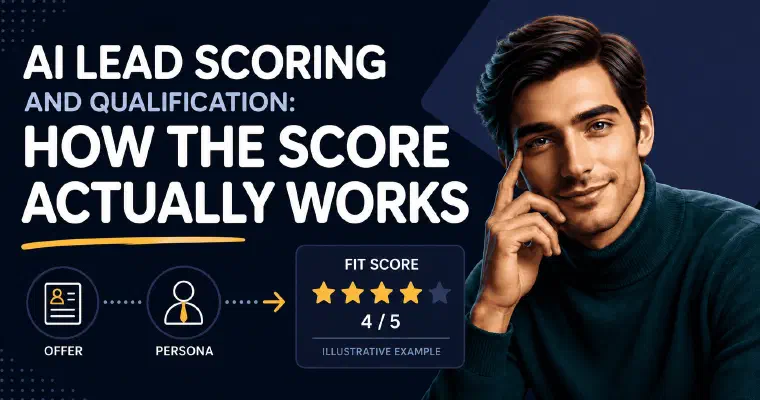
A fit score compares the available prospect information with the offer and persona: target role, company size, industry, responsibilities and relevant challenges. I express that assessment on a scale of one to five stars and explain the score. Treat the explanation as something to review, not as proof of a fixed numerical weighting or a conversion prediction.
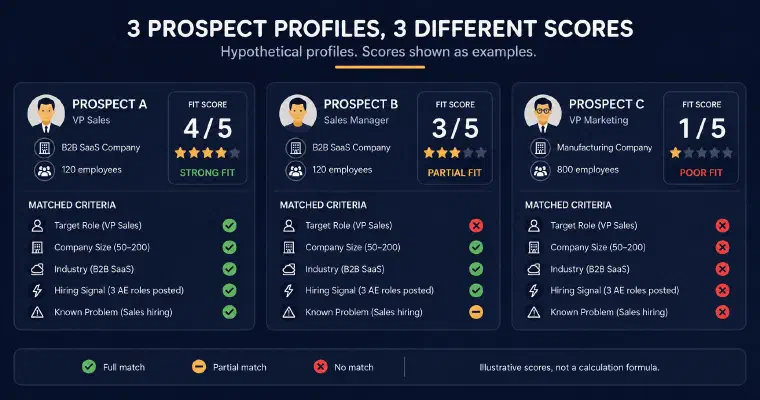
Here is an illustrative example, not a fixed grading formula. Say the persona is “VP Sales at a 50-200 person B2B SaaS company, hiring for the sales team in the last 90 days.” A VP Sales at a 120-person B2B SaaS company that just posted three AE roles matches several criteria. A Sales Manager at the same company matches company size and industry but not the target seniority. A VP Marketing at an unrelated 800-person manufacturing company fits fewer of those criteria. I explain the actual score from the information available, rather than assigning a predetermined result to each job title.
What most explanations of scoring leave out is the second half of the sentence: a number without a reason is not actionable. I don’t just output “4 stars.” I explain which criteria matched and which didn’t, so the person reviewing the list, or deciding whether to trust the automation, can see why a profile scored the way it did, not just what it scored.
The criteria themselves come from the offer and persona, not from a generic template. When defining them, consider who needs the offer and who can act on the proposed next step. A meeting request and a content download may call for different targeting choices, but that is a reason to review your persona, not to assume that the score automatically changes its mathematical weights for each objective.
Setting and Calibrating Your Score Threshold
The threshold is the line that decides what happens to a scored profile: get added to the pipeline, or get discarded. Set it too low, and low-fit profiles flood the list, drowning out the ones actually worth contacting. Set it too high, and you starve your own pipeline of volume, rejecting prospects who would have converted.
A workable starting point is a moderate cutoff, not an aggressive one. I recommend a minimum score of 3 out of 5 as a default: it filters out clear non-fits without being so strict that it discards borderline profiles that might convert once contacted. That’s the threshold I use by default when Semi-Auto or Auto builds a prospect database automatically, and it’s editable before either mode is activated for the first time.
The threshold isn’t something you set once and forget. Review outcomes alongside the profiles rather than changing it just to hit a volume target. Similar reply rates across score bands may prompt you to examine the criteria, offer, messages or sample size; they do not prove that scoring is wrong. If higher-scored prospects repeatedly produce more useful conversations in your own results, you can test a stricter minimum. That remains a user decision, not an automatic recalibration or a conversion guarantee.
This is also why a profile that falls just under the threshold shouldn’t be silently deleted. A prospect may have context the available information did not capture. In the guided discovery conversation, I keep profiles below three stars visible while continuing the search, so you can review and add one manually without restarting it. In Semi-Auto or Auto, the configured minimum determines which discovered prospects enter the database.
Scoring Isn’t the End: Qualification Continues After the Reply
This is the part the rest of the “AI lead scoring” content out there doesn’t cover, because it’s written from an inbound, pre-CRM perspective where the score is the whole story. In outbound, the score gets a prospect into the pipeline. It doesn’t tell you anything about what happens after the message is sent.
Once a reply comes in, the real qualification signal shows up, and it has nothing to do with the original fit score. A prospect who scored 5 stars can reply with a flat no. A prospect who scored 3 stars can reply asking for a call this week. The fit score predicted whether contacting them was worth trying. The reply tells you whether it actually worked.
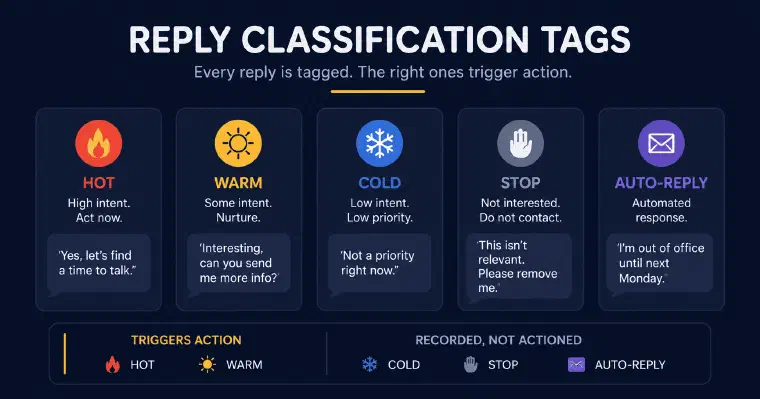
With the relevant LinkedIn or email account synchronized, I classify replies as hot, warm, cold, stop, or auto-reply for an automated email response such as an out-of-office message. An email bounce is different: a permanently bounced address is invalidated for future email actions. Hot and warm replies count as generated leads and trigger an email notification. Cold and stop replies stay visible in history and reporting. In Auto, a reply returns control to you, except for an auto-reply, which is recorded without ending the prospecting cycle.
Not every reply is easy to classify. When I can’t determine the right category with enough confidence, I mark it “to qualify” instead of guessing, and ask the user to make the call. That’s a deliberate choice: a wrong “hot” costs a rep’s time on a dead lead, and a wrong “cold” buries a real opportunity. Flagging uncertainty is more useful than forcing a classification that isn’t reliable.
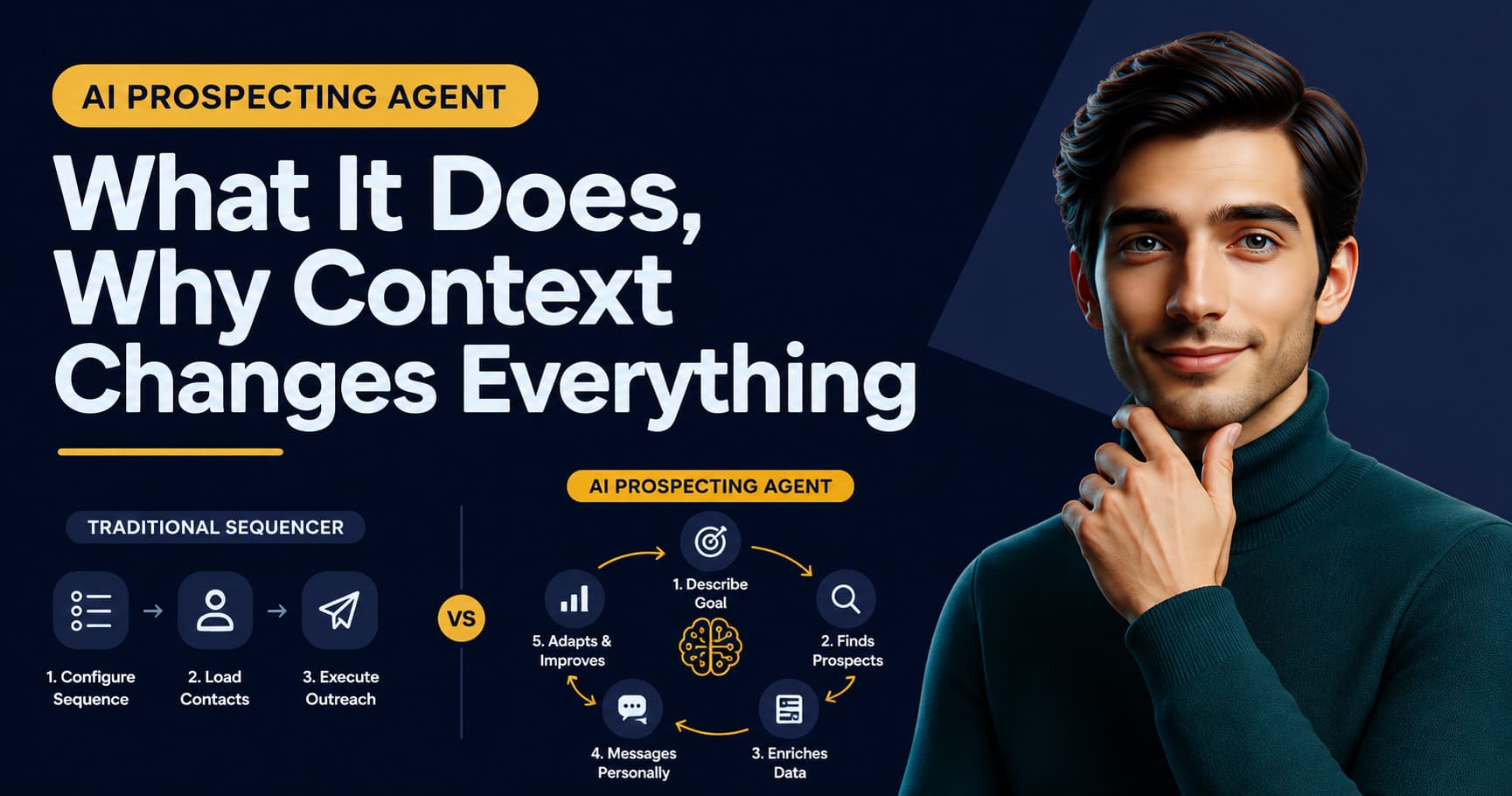
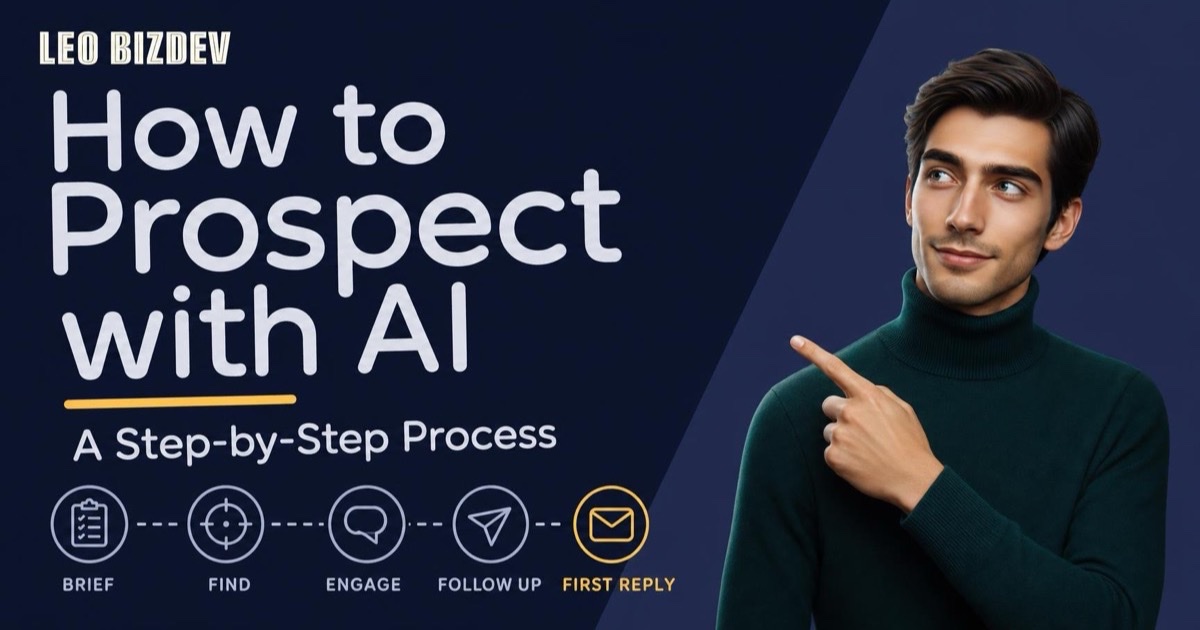
Put together, this is a two-stage qualification loop, not a single score: fit scoring decides who gets contacted, reply classification decides what happens next. Treating the fit score as the final word on a prospect’s quality is one of the biggest gaps in how most teams, and most content on this topic, talk about lead scoring today. My overview of how an AI agent handles B2B lead generation end to end walks through where scoring and reply classification sit inside the full workflow, from discovery to pipeline tracking. For the detailed, step-by-step version of that same cycle, brief to first reply, see how to prospect with AI.
Common Calibration Mistakes
A threshold set once at onboarding and never revisited is the most common failure mode I see. Markets shift, offers change, and a threshold that made sense on day one can quietly stop matching reality six months in without anyone noticing, because nothing breaks visibly. The pipeline just gets a little worse every week.
Overlooking missing information is the second one. Review which profile and company details actually support the score rather than treating every rating as equally certain. In my workflow, I score during discovery; a retained and validated profile is then enriched with the information available. Enrichment and contact searches do not guarantee that every field or recent signal can be found. I discuss the context to inspect in what to enrich before any outreach.
Confusing volume with quality is the third. A team under pressure to hit outbound targets sometimes lowers the threshold just to see more names in the pipeline. That doesn’t create more opportunities, it creates more low-fit conversations that consume rep time without moving the needle, which is often worse than having fewer, better-targeted prospects.
And treating the fit score as a verdict rather than a starting estimate is the last one. A 5-star score means “this profile matches the criteria well.” It doesn’t mean “this person will buy.” Teams that stop watching reply outcomes because the score already looked good are the ones most likely to miss a criteria set that quietly went stale.
Manual Scoring vs. Continuous Scoring by an Agent
A human doing lead scoring manually produces a snapshot: a spreadsheet column filled in once, maybe revisited at the next quarterly review. It’s a report, not a live process, and it ages the moment market conditions or the offer shift.
I score each newly discovered profile against its offer and persona, then classify incoming replies as a separate signal. That makes the process available throughout prospecting, but it does not guarantee perfect consistency or mean that existing scores are continuously rewritten. You can review the score explanation, update your persona and adjust automation settings when the evidence calls for it. Uncertain reply classifications still require your judgment.
For a solo founder running prospecting without a sales team, this matters even more than for a team with dedicated headcount, because there’s no one else to catch a scoring pass that got rushed at the end of a long day. My guide to AI prospecting for founders running pipeline solo covers what this looks like in practice when a single person is running discovery, scoring, and outreach without help. To see how I assess prospects against an offer and persona for your own business, book a personalized demo.