
Most guides on prospecting with AI describe a stack: one tool to find contacts, another to enrich them, a third to score fit, a fourth to write and send messages. You still have to connect them, keep the connections working, and carry the context from one tool to the next yourself. That is not a small detail. It is the actual work, and it is the reason so many “AI prospecting” setups get built once and abandoned within a month.
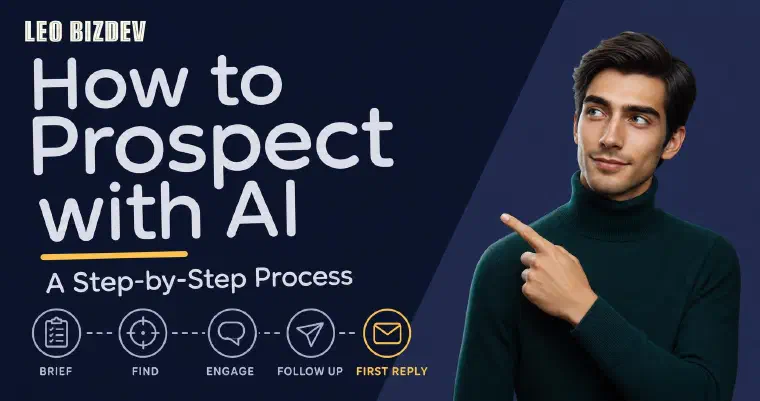
I walk the process a different way: as one continuous conversation with an agent that carries the context for you, from the first brief to the first reply you have to answer yourself. Ask most people how AI prospecting actually works and they describe a list of use cases; here it is a single path, in order, at a level of detail you can execute today rather than a set of concepts to assemble on your own. I will point to deeper guides on specific steps (defining an ICP, calibrating a lead score, enriching a profile) where the detail matters more than a single walkthrough can cover, and mark clearly where each detour leads back into this path.
Two things are true about how to use AI for sales prospecting at every step below: nothing sends without a channel connected (LinkedIn, email, or both), and nothing in the workflow requires you to touch a spreadsheet or a separate sequencer at any point. If a channel is not connected yet, I still define strategy, find and score prospects, and draft messages for you to send manually, so the workflow degrades gracefully instead of stalling.
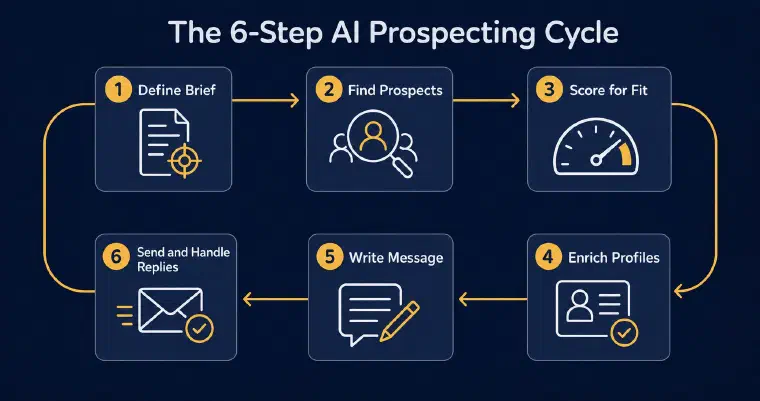
Step 1: Turn Your Offer and Target Into a Brief I Can Act On
Everything downstream depends on this step, and it is where most first cycles go wrong before they even start. A vague brief (“B2B companies that might need consulting”) gives me nothing to score against, so I either surface a broad, low-relevance list or ask for more detail before doing anything useful. A specific one gives me a real filter: target roles, industries, company size, and the actual problem your offer solves for that target.
If you already know your ideal customer profile, this step is quick. You describe the offer, the target roles, and the commercial objective (starting a conversation, booking a meeting, or driving a specific signup), and I turn that into a working persona with its own targeting criteria and messaging preferences: tone, formality, message length per channel, and any proof or content worth referencing when it fits naturally. If you do not yet know who your best-fit customer actually is, that is a separate problem worth solving properly before you prospect at volume, not something to guess at inside a single brief. I cover the full method, including how to pull it from your closed-won accounts instead of guessing, in how to define your ICP with AI.
One offer can support several personas if you sell more than one thing to more than one audience, and you do not need to get any of it perfect on the first pass. You can edit and refine a persona as replies start telling you what actually resonates, which matters more than getting the wording right before you have sent a single message.
This is also the moment to set the boundaries I should never cross regardless of automation level: a blacklist of companies that should never be proposed or contacted (a current client, a competitor, a company that already said no through another channel), and, if relevant, a target-company list that gets priority during discovery. Both apply the same way whether you are reviewing every action manually or running Auto later.
Step 2: Let Me Find and Score Prospects
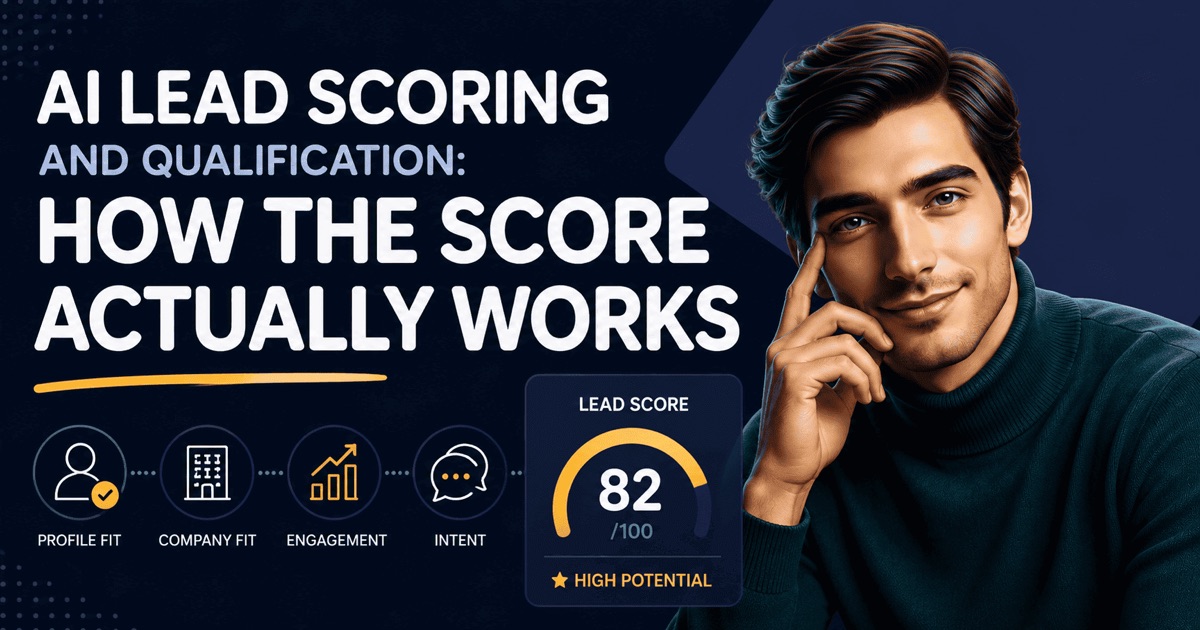
Once a persona exists, I search for matching profiles one at a time and score each one from 1 to 5 stars against both the persona and the offer, showing the reasoning behind the score alongside it rather than a bare number. A profile that clears the threshold gets held for your review before I do anything else with it; a profile that does not still stays visible, and you can rescue it manually if the reasoning does not convince you.
Interpreting the score and its explanation is a separate topic, covered in how AI lead scoring actually works. In guided discovery, profiles at 3 stars or above await your validation before enrichment and addition to the list; lower-scoring profiles stay visible and can be rescued. Semi-Auto and Auto instead use the minimum score you configure, with 3/5 as the recommended starting value. Neither a threshold nor a high score guarantees a reply or a sale. For the full discovery phase, see how to find and qualify B2B leads with an AI agent.
Step 3: Enrich the Ones Worth Contacting
I enrich a validated or imported prospect with available professional and company information: current role, responsibilities, expertise, interests, identified challenges, and relevant signals when obtainable. That gives the message more context than a name and job title alone. Not every field will be available, and an inferred challenge or public event is not proof of a current need or buying intent. Review what the record actually supports before using it in a message.
I go deeper on what to enrich and in what order, and why sequencing matters more than the tool you pick, in B2B lead enrichment: what to enrich before any outreach. One detail worth flagging here since it changes how you should think about cost: enrichment itself does not consume credits. Finding an email or phone number does, and only when a usable one is actually found; a search that comes back empty costs nothing. This is also why a merged first name in a template stops working: without this step, the message below has nothing real to draw from.
Step 4: Generate a Message From the Prospect’s Actual Context
This is the step where the previous three either pay off or get wasted. I write the message using the offer, the persona’s tone and objective, the prospect and company profile, and, for a follow-up, the prior conversation history, so the angle varies instead of repeating itself message after message. You can edit or regenerate before anything goes out, and I will not send anything without your review unless you have already turned on Auto.
For the channel-specific branch after that decision, continue with the AI LinkedIn outreach workflow from relationship state through follow-up.
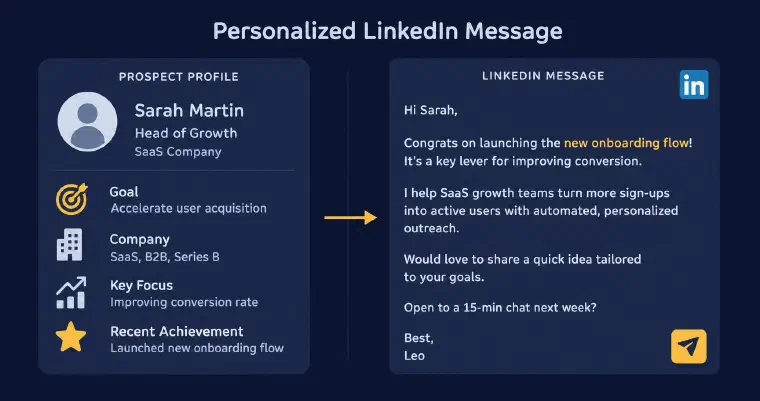
Illustrative scenario with fictional data and offer. This is not a customer result or a claim about LEO’s own offer.
Take a hypothetical example: the persona is “VP Sales at a 50 to 200 person B2B SaaS company, commercial objective: book a meeting.” A VP Sales at a 140-person SaaS company with two new AE roles and an announced EU expansion could be relevant, depending on the offer and the rest of the available context. Those facts alone do not imply a particular star score. A possible LinkedIn message could connect that context to the offer and invite a meeting, without claiming to know the prospect’s internal priorities. If the objective is instead to start a conversation, I use that preference to frame a lower-commitment opening rather than assuming a meeting ask is always appropriate.
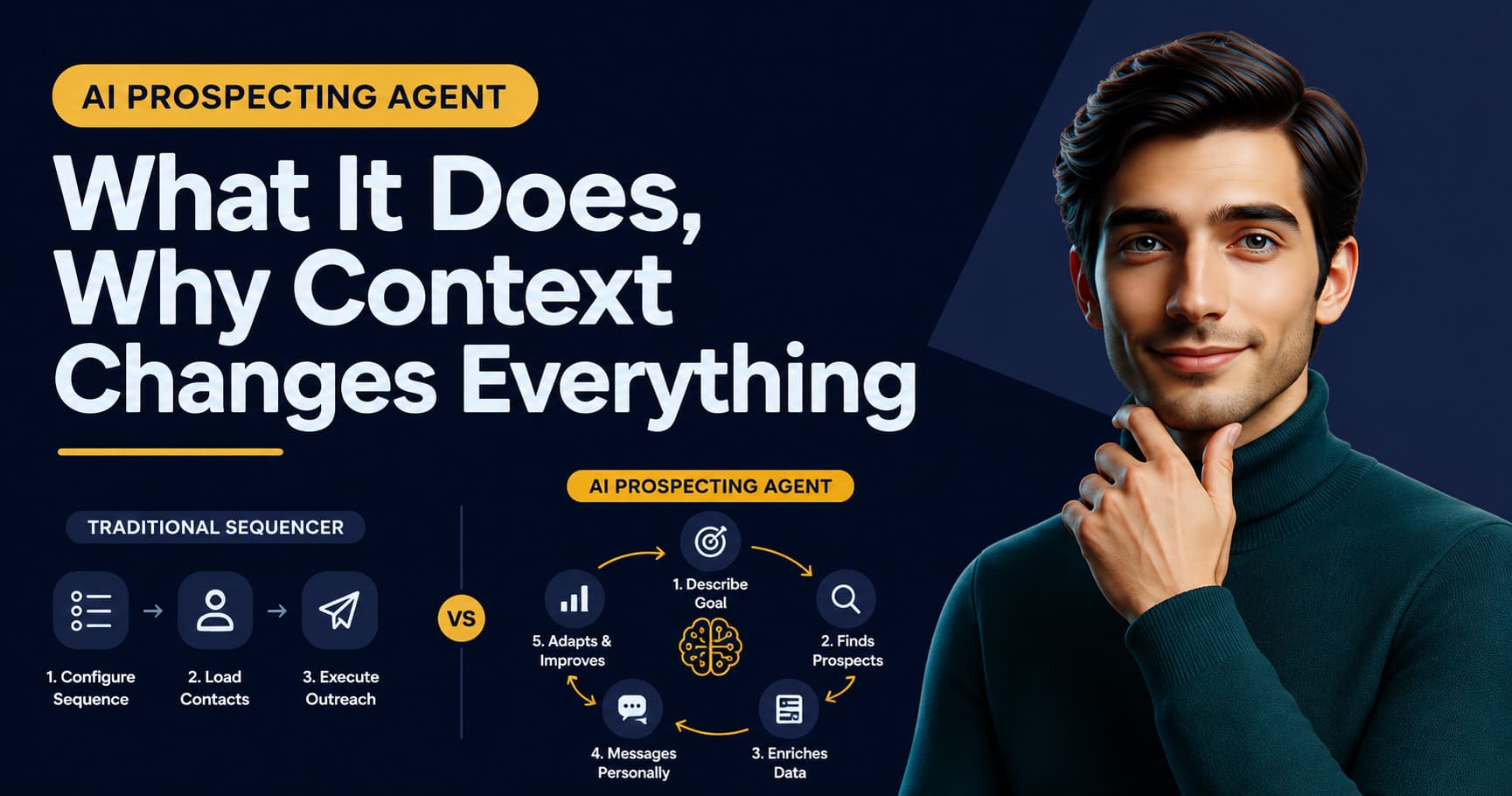
My advantage here is bringing score, enrichment, and message generation into the same product context. A separate tool stack can also share context if someone configures and maintains that integration. If you want the full picture of what an AI prospecting agent does across the chain, not just this message step, that comparison lives here. I go deeper on company and person context, subject lines, and follow-up angles in how to personalize cold email with AI.
Step 5: Send, Then Decide How Much You Validate
By default, I prepare the action and wait for your approval before anything reaches the prospect. That default is not a limitation to work around; it is where most people should stay for their first cycle, so they can see exactly what gets sent and why before handing off any part of the AI prospecting workflow.
Two automation levels are available after you review and validate their configuration. Semi-Auto builds the prospect database but never contacts or follows up with anyone automatically; you manage those actions, and discovery can run without a synchronised communication channel. Auto selects and executes eligible LinkedIn and email actions within your configured limits, with sufficient credits and at least one synchronised, enabled channel. LinkedIn invitations have no note, messages require an eligible relationship, and email needs a usable address. Auto never searches for a phone number or places a call; I can prepare a call script when you manage a prospect manually, but you make the call.
Auto pauses when credits are exhausted or no authorised channel remains available. A prospect’s reply ends their Auto phase and hands control back to you, except for automated email replies, which are recorded while prospecting continues. I work from each prospect’s state and history, not a fixed campaign sequence, and you continue supervising the results. The discussion of how founders use these modes explores that choice of oversight.
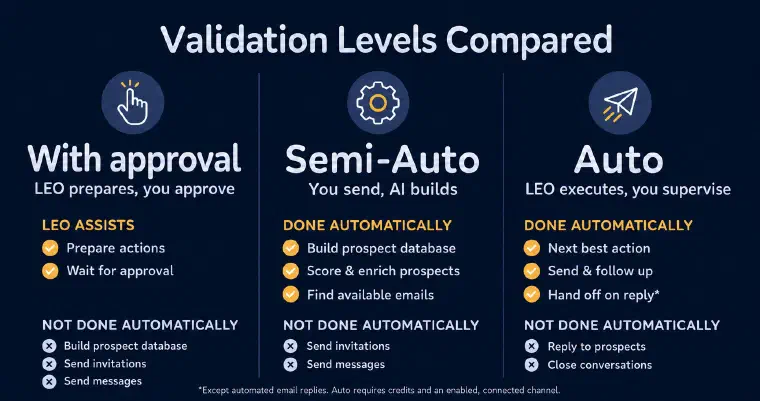
If this is your first cycle, explore it in an immersive demo for your activity to see how approval, Semi-Auto, and Auto fit the oversight you want to keep.
Step 6: Follow Up and Qualify the Reply
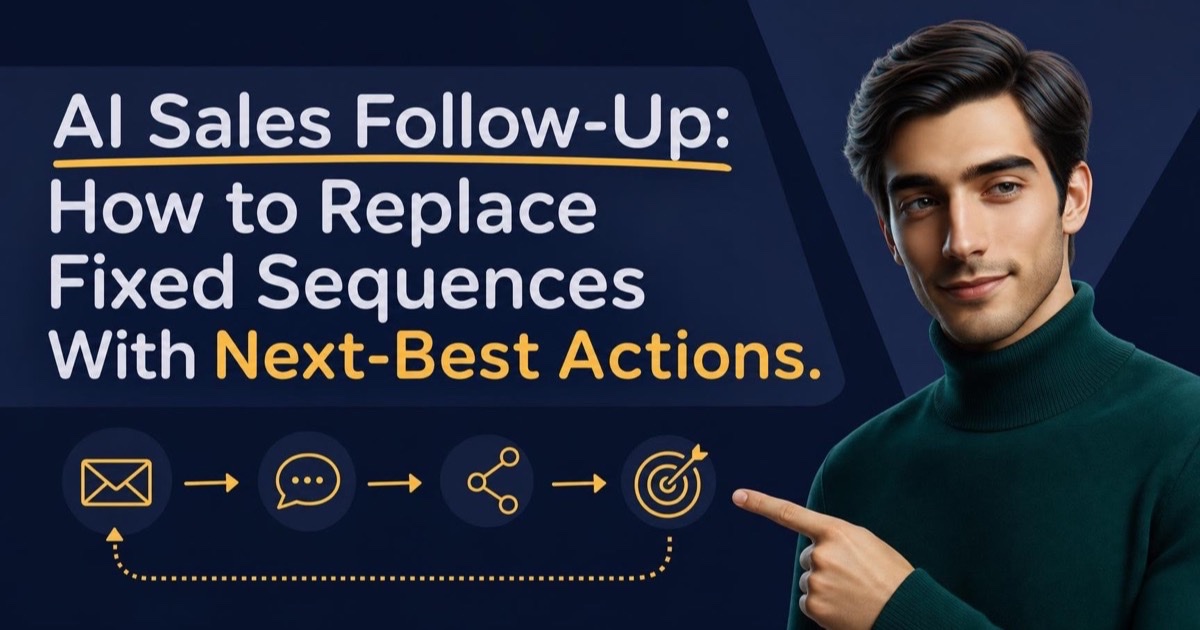
I do not run a fixed sequence of follow-ups on a timer. I recalculate the best next action once a prospect becomes eligible again, using their current state and history, up to a configurable maximum (5 messages across LinkedIn and email by default, spaced at least 5 days apart, is the recommended starting point, and it is editable before you activate anything).
For the detailed operating method behind that step, use the AI sales follow-up loop for choosing, constraining, and stopping next-best actions.
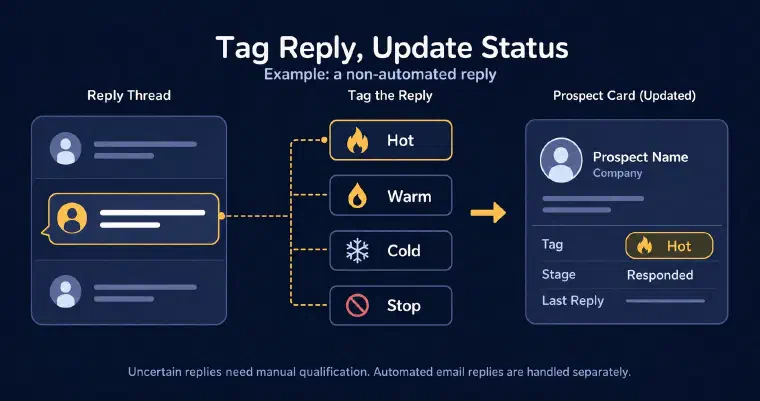
On synchronised LinkedIn and email channels, I detect replies, attach them to the prospect, and classify them as hot, warm, cold, or stop, with a separate auto-reply category for automated email responses. In the hypothetical VP Sales example, a positive meeting response could be hot or warm; both trigger a notification. Replies move the prospect to Responded and end their Auto phase, except automated email replies. If classification is uncertain, I notify you and leave it for manual review.
A stop reply prevents further Auto follow-up for that prospect’s current phase; the tag is not a promise of a permanent account-wide blacklist. Respect the prospect’s request when managing later actions, and use the shared company blacklist when that entire company must be excluded. The substantive conversation is yours to handle, rather than a thread I continue autonomously.
Once prospects have moved through the cycle, review the pipeline: To prospect for those without an action, Prospecting for those with activity but no qualified reply, and Responded for replies other than automated email replies. Pair that view with the channel reply rates calculated from prospects contacted and read the conversations themselves. These are useful inputs to your assessment, not a guarantee that one week is enough to validate the persona or message.
Where a Generalist AI Stops and an Agent Takes Over
A fair question at this point: why not run steps 1 through 6 with a generalist assistant? A plain chat without prospecting accounts or a connected data workflow can help prepare a brief or draft, but it is not the same setup as a configured prospecting application. Generalist assistants can have memory, tools, and integrations; their capabilities depend on the product and configuration. The relevant comparison is what is actually connected and maintained, not a blanket claim that they cannot remember, research, or take actions.
I discuss the comparison in LEO vs. ChatGPT and Claude for prospecting, and the broader workflow in what an AI prospecting agent actually does. My distinction is the integrated prospecting product: I retain the business context, offers, personas, prospect records, and action history across its guided workflows. You configure the strategy and authorised channels rather than assembling that application yourself.
Common Mistakes That Break a First AI Prospecting Cycle
The most common failure is not the AI producing bad output. It is running the cycle with inputs that were never going to work, then blaming the result on the technology instead of the brief that fed it.
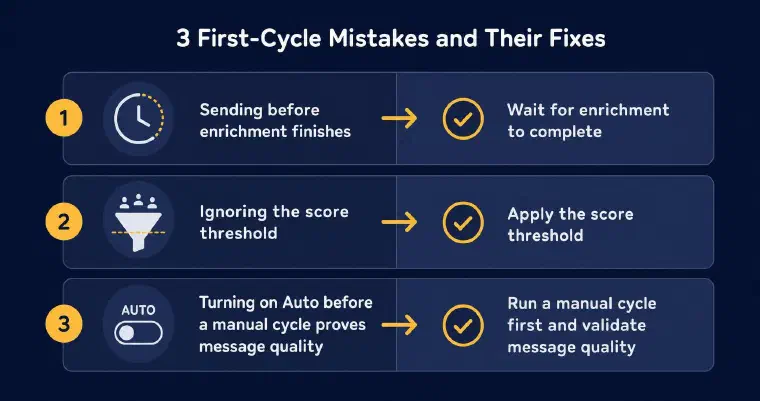
Manual review is recommended, not a mandatory cycle before activating Auto. One reviewed cycle does not prove future message quality or results.
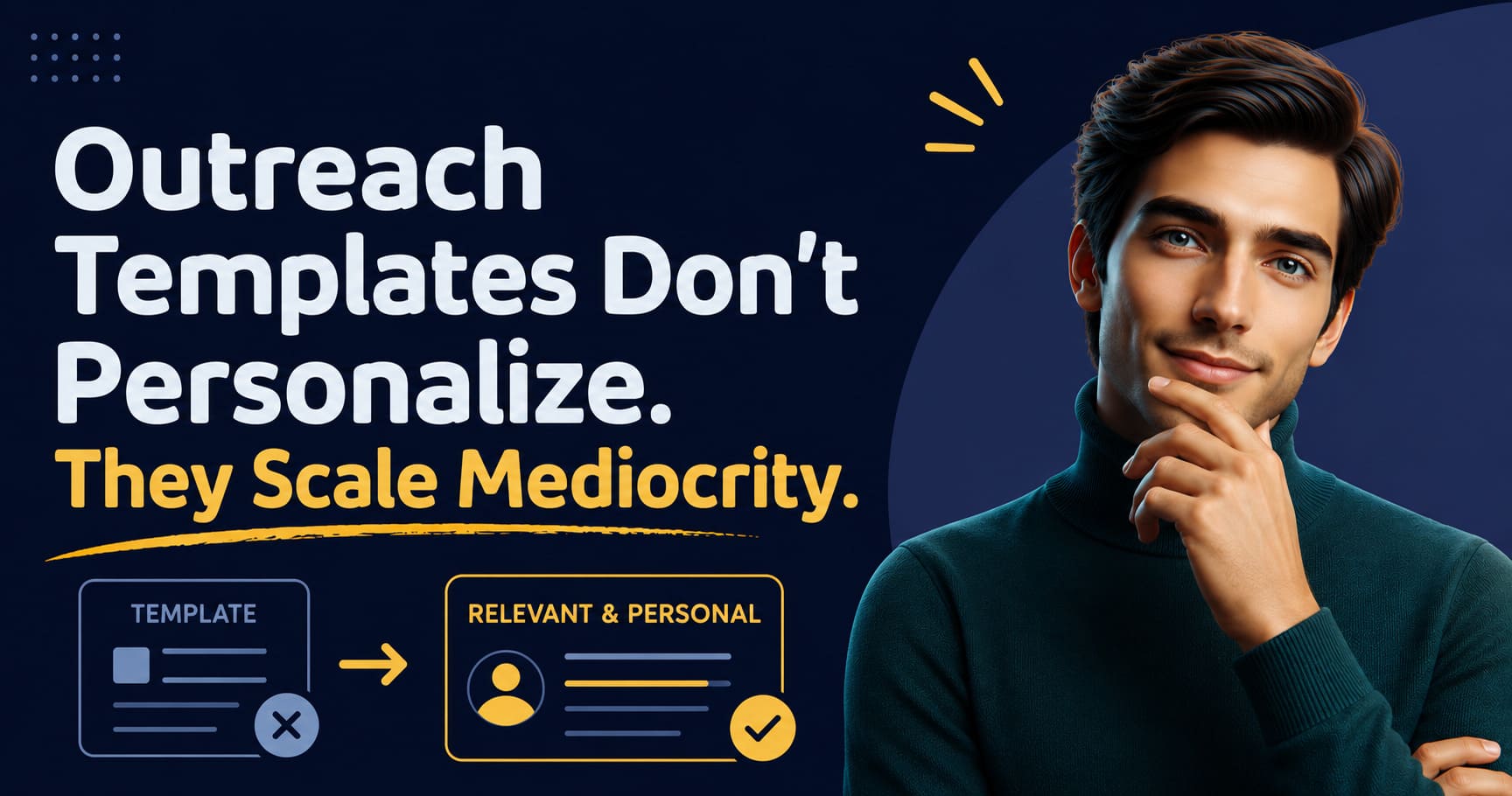
Sending before enrichment finishes is one version of this. A message generated from a name and a job title, with no signal or company context behind it, reads exactly like the generic outreach the prospect already ignores a dozen times a week. The fix is not writing harder or adding a clever opening line; it is not skipping step 3 to get to sending faster.
Ignoring the score threshold entirely is another. Contacting every prospect a search surfaces, including the ones scored below your own cutoff because the list “still looks fine,” dilutes your reply rate and makes it impossible to tell afterward whether the targeting or the message itself was the actual problem when replies stay flat.
Turning on Auto without reviewing the configuration and output can scale a mistake. I recommend inspecting an initial batch of profiles and messages first, but a completed manual cycle is not a product requirement or proof of future results. The required step is reviewing and validating the automation configuration; supervision continues afterward. The same care applies to Semi-Auto: check the profiles retained under your chosen threshold even though it does not send messages.
The last mistake is treating a first cycle’s results as final. Review the targeting, tone, and message alongside real conversations, then decide what to change. I keep the context so you can edit the offer, persona, or automation configuration without rebuilding a separate campaign stack. See how that workflow fits your activity in an immersive demo.